
E-Signature: Draw, Save & Sign
Draw your signature once — then sign anything online in one click.
Insert it into DocuSign-style pads, attach it to uploads, stamp it onto any page or download a transparent PNG.
- Free to try
- No account
- Works locally
- 6+ languages
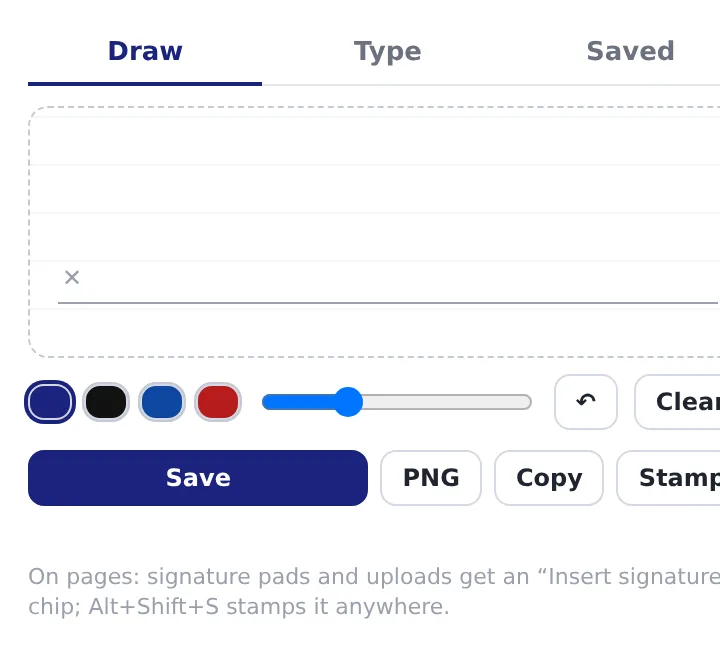
What you get
- Draw or type up to 8 signatures; they stay on your device.
- Signature pads: a chip offers to insert it, replayed as real pen strokes.
- Uploads asking for a signature file: attach signature.png in one click.
- Stamp mode (Alt+Shift+S): place, drag and resize it anywhere on a page.
How to use E-Signature: Draw, Save & Sign
- Click the icon and draw (or type) your signature.
- On a page with a signature pad or upload, click the chip that appears.
- Or press Alt+Shift+S to stamp it anywhere.
When it comes in handy
- Contracts and NDAs in e-signature services, without drawing crookedly with a mouse every time.
- Forms that want a signature image uploaded.
- Approving a screenshot, invoice or PDF preview on the spot.
Free and Pro
$5.49/month · $35.79/year · $49.99 once, forever
Cancel anytime. Prices are shown in USD; local currencies at checkout.
Questions
Does the site see a real signature?
On pads, strokes are replayed as pen events, so the site records a genuine drawn signature, not a pasted image.
Is my signature stored online?
No. Signatures live in the extension's local storage only; nothing is uploaded.
Is E-Signature: Draw, Save & Sign free?
Yes — the free tier covers 3 files per installation with every feature. If you need more, Pro removes the limit; one Pro works in all our extensions.
What is Pro?
A single optional subscription ($5.49/month, $35.79/year or $49.99 once) that removes the free limits in every extension of the collection. You only see it when you hit a limit.
Does it collect or send my data?
It works inside the pages you open, in your browser; there is no account and no analytics. The permissions above are the full list.
Does it work in Edge, Brave, Opera?
Yes, any Chromium browser installs extensions from the Chrome Web Store.
More in PDF, images & files
 Documents to PDF (XLSX, CSV, RTF, ODT, TXT)Convert Excel, CSV, RTF, ODT and text files to PDF right in the browser. Nothing is uploaded. «→ PDF» badge on document links.
 JFIF to JPG — Image Converter (WEBP, AVIF, PNG)Convert JFIF, WEBP, AVIF, PNG, SVG to JPG, PNG or WEBP in the browser; hover any image on a page to save it as JPG.
 PDF Form Filler — Fill & Sign PDFFill PDF forms, type on any PDF, tick boxes and sign in the browser, then save.
 PDF Unlock: Remove Password & Restrictions from PDFRemove a known password and print/copy/edit restrictions from PDF files locally in your browser.
 Audio to MP3 Converter (FLAC, OGG, M4A, WAV)Convert FLAC, OGG, M4A, WAV, AAC, OPUS and WEBM audio to MP3 or WAV locally in your browser, in batches, no upload.
 Invoice, Lease Agreement, Letter & Resume TemplatesFill-in invoices with totals, lease/rental agreements, cover/resignation/complaint letters and a resume.
Technical details and permissions
The extension asks only for what the feature needs:
| Permission | Why |
|---|---|
storage | Remember your settings locally. |
clipboardWrite | Copy results to the clipboard. |
identity | |
Site access | The extension needs access to pages to do its job (see the table); it does not send page content anywhere. |
Draw or type your signature once and keep up to 8 of them locally. Export a trimmed transparent PNG, copy it to the clipboard, and use it on any page:
- Signature pads (DocuSign-style canvases): a chip offers to insert the saved signature — strokes are replayed as pen events so the site records a real signature.
- File uploads asking for a signature: attach
signature.pngwith one click. - Stamp (Alt+Shift+S or the popup): place the signature anywhere on a page, drag/resize it, double-click to lock; it prints and saves to PDF with the page.
No accounts, nothing leaves the browser.